
The structure of an HTML document is the backbone of every web page 🌐. Here’s the basic skeleton (every HTML file starts kinda like this):
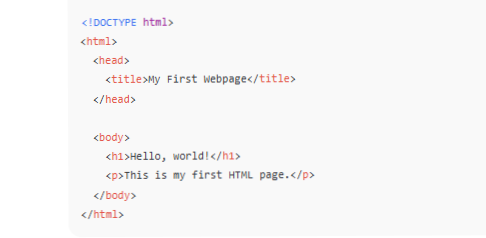
Now let’s break it down step-by-step like a web surgeon 🧠💻
- <!DOCTYPE html>
- Tells the browser this is an HTML5 document.
- It’s like saying, “Hey browser, interpret this page with modern standards!”
- <html> ... </html>
- The root element of your page.
- Everything inside it is part of your website.
- It usually has a lang attribute like <html lang="en">.
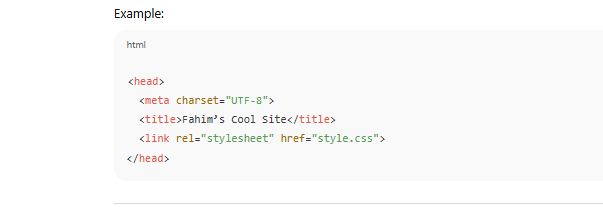
- <head> ... </head>
- This is where you keep information about your page, **not** what’s displayed on it.
- Includes:
- <title> = page name shown on browser tab.
- <meta> = info like keywords, description, charset, and viewport (for responsiveness!).
- <link> = connects CSS or icons.
- <script> = adds JavaScript (if used).
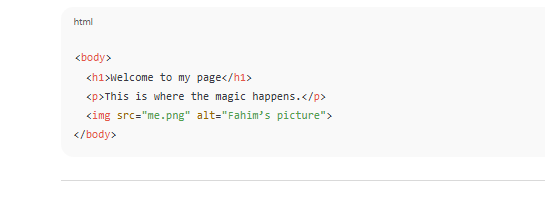
- <body> ... >/body>
- The visible part of your website — **what users actually see**.
- Includes text, images, videos, buttons, links, etc.
So, in short:
| Section | Purpose |
|---|---|
| <!DOCTYPE html> | Defines HTML version |
| <html> | Root element |
| <head> | Metadata, styles, scripts |
| <body> | Visible content |